

Public Dataset Gallery#
The gallery at /gallery/ displays preview images from public NexusLIMS records
in a full-screen, automatically rotating presentation. Each slide can show the
record title, dataset description, experimenter, instrument, and acquisition
date. Featured datasets receive a badge, and View record opens the source
record in a new tab.
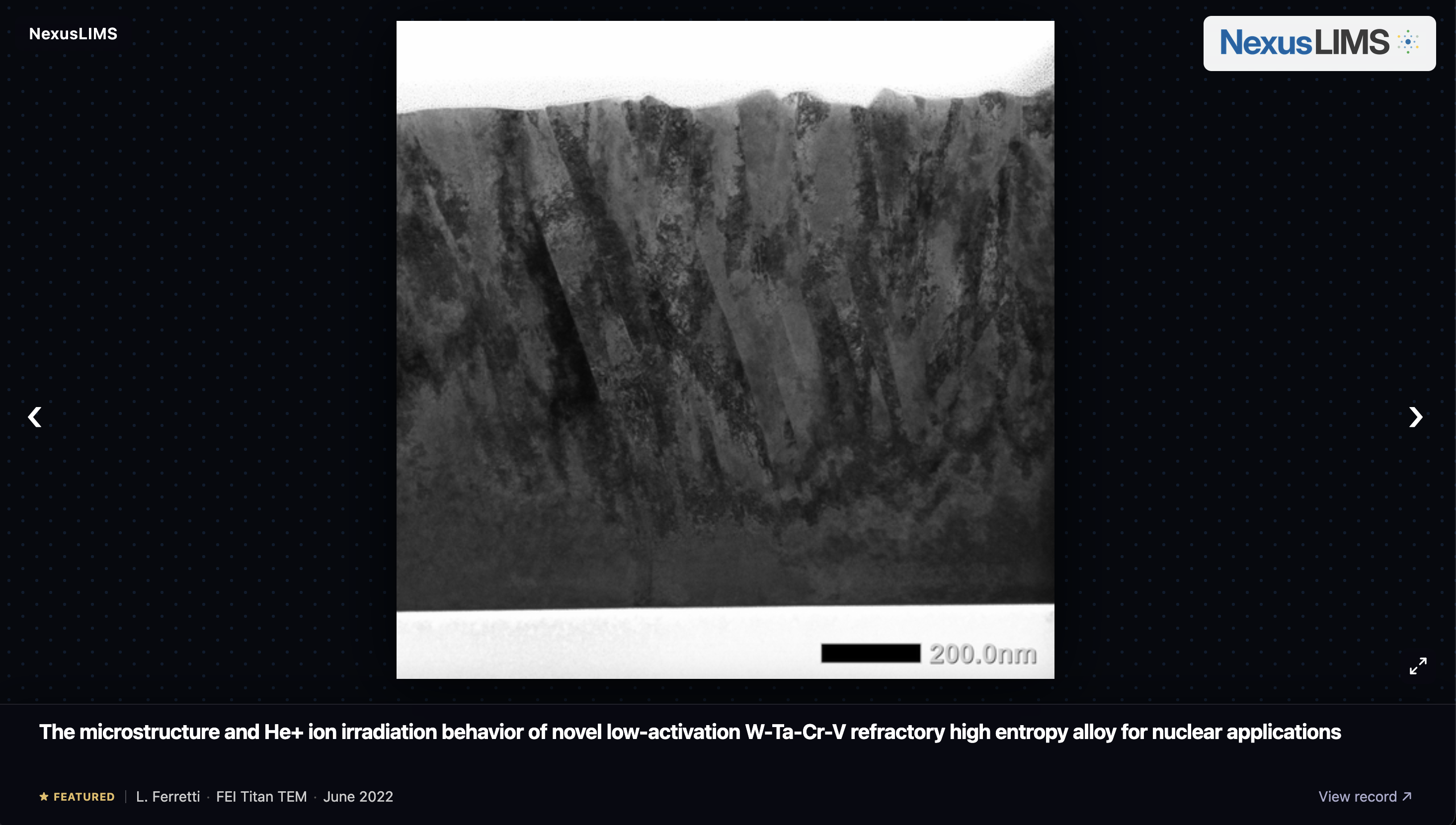
The public gallery presents dataset previews and their record information.#
The page requires no login. Slides advance after the configured interval; move the pointer to reveal previous, next, and full-screen controls. You can also use the left and right arrow keys and press F to toggle full-screen mode. Administrators can disable or brand the gallery using the settings described in Public Gallery.
Selecting gallery images#
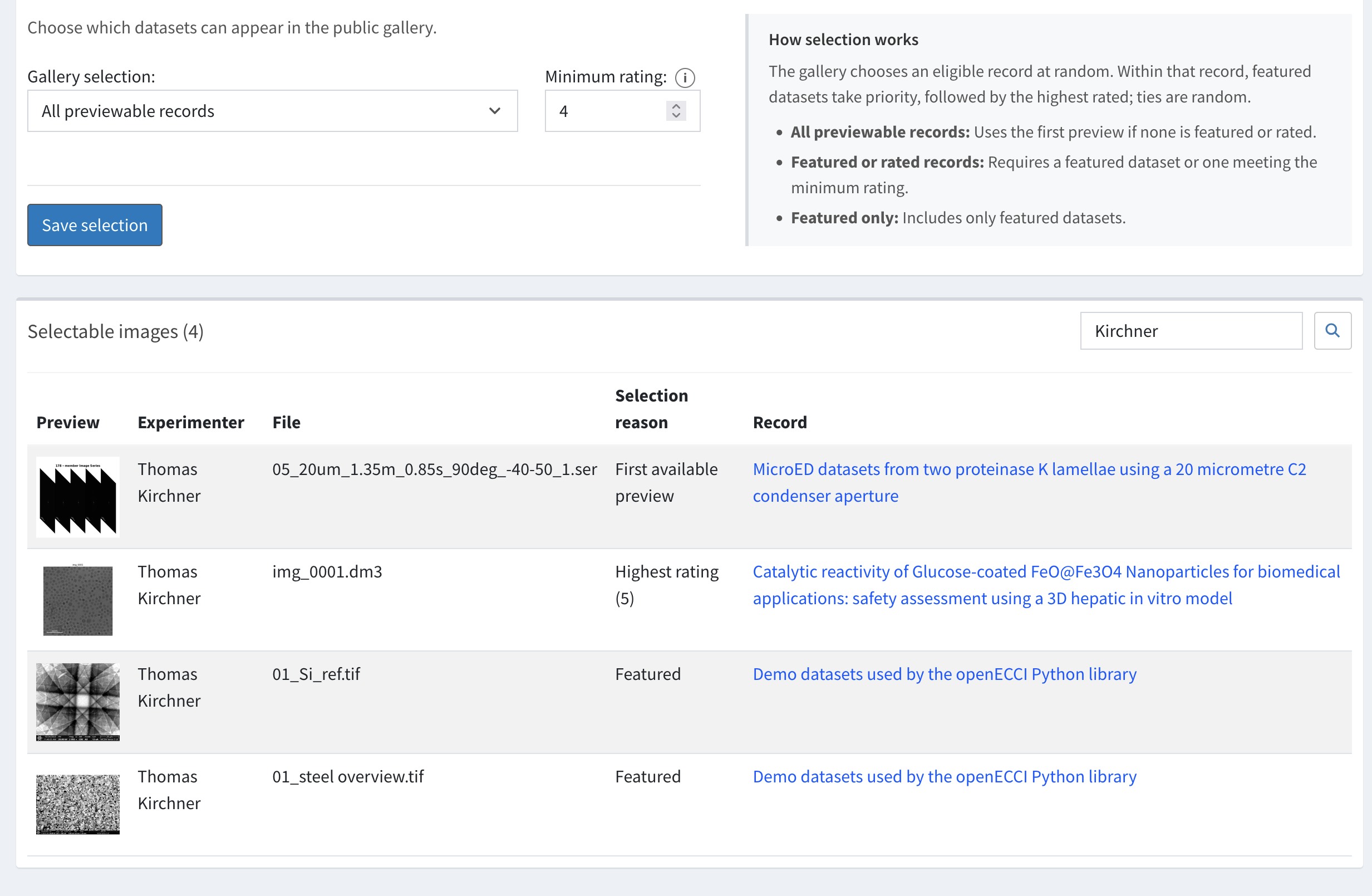
Administrators can choose a selection mode and inspect the images eligible for the gallery. The table can be searched by experimenter, filename, or record.#
Administrators can open the Visual Gallery settings in the admin panel to choose which records will appear in the public gallery. There are three modes available:
All previewable records: any record with a preview can appear. If none of its datasets is featured or rated, the first dataset preview in the record is used.
Featured or rated records: only records containing a featured dataset or one or more rated datasets meeting the minimum rating will be selected. Featured previews always qualify.
Featured only: only records with featured previews qualify.
The gallery chooses an eligible record at random, then a featured preview from that record, or otherwise a preview with the highest eligible rating. Ties are random. The minimum rating applies only to the “featured-or-rated” mode.
The Selectable images table shows what datasets are eligible to be selected under the active settings. This can help administrators understand why a certain record isn’t displaying and what the pool of images for the gallery will look like. Within this table, you can search by filename, experimenter, or record title; the search box filters the whole table before pagination and does not change what shows in the actual public gallery. Only records in the global workspace that are viewable by anonymous users are included in the gallery.