# Depth calibration
Depth calibration relates acquisition frames to known physical depths. Add one or more reference points, called *anchors*, then choose whether plots use frames or physical depth.
# Open the calibration editor
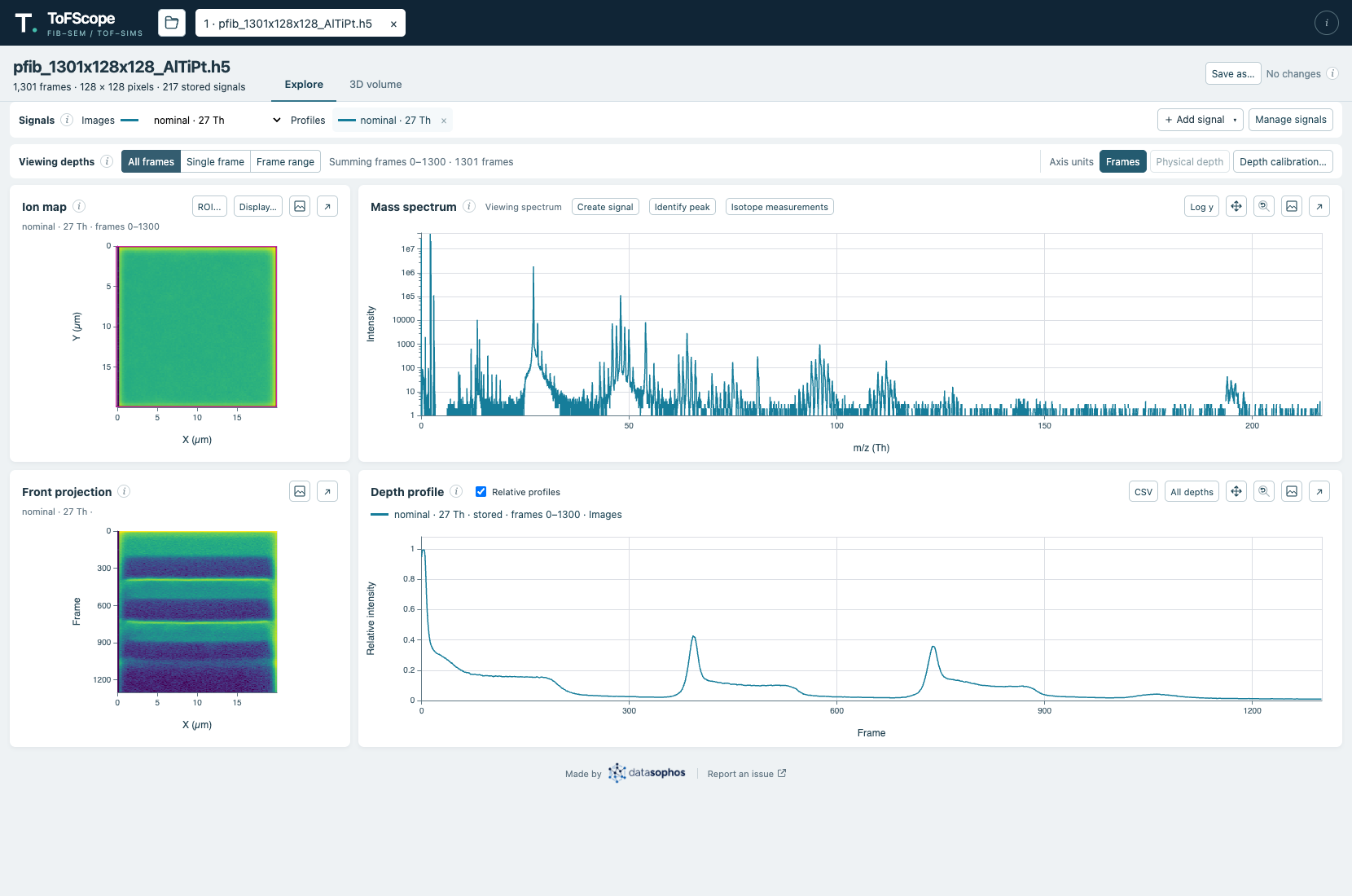
Select [**Depth calibration…**](#calibration-open) in the **Viewing depths** strip above the plots. The editor opens with a profile in original acquisition frames and controls for entering known depths.
The Viewing depths strip contains the depth-calibration and axis-unit controls.
# Add calibration anchors
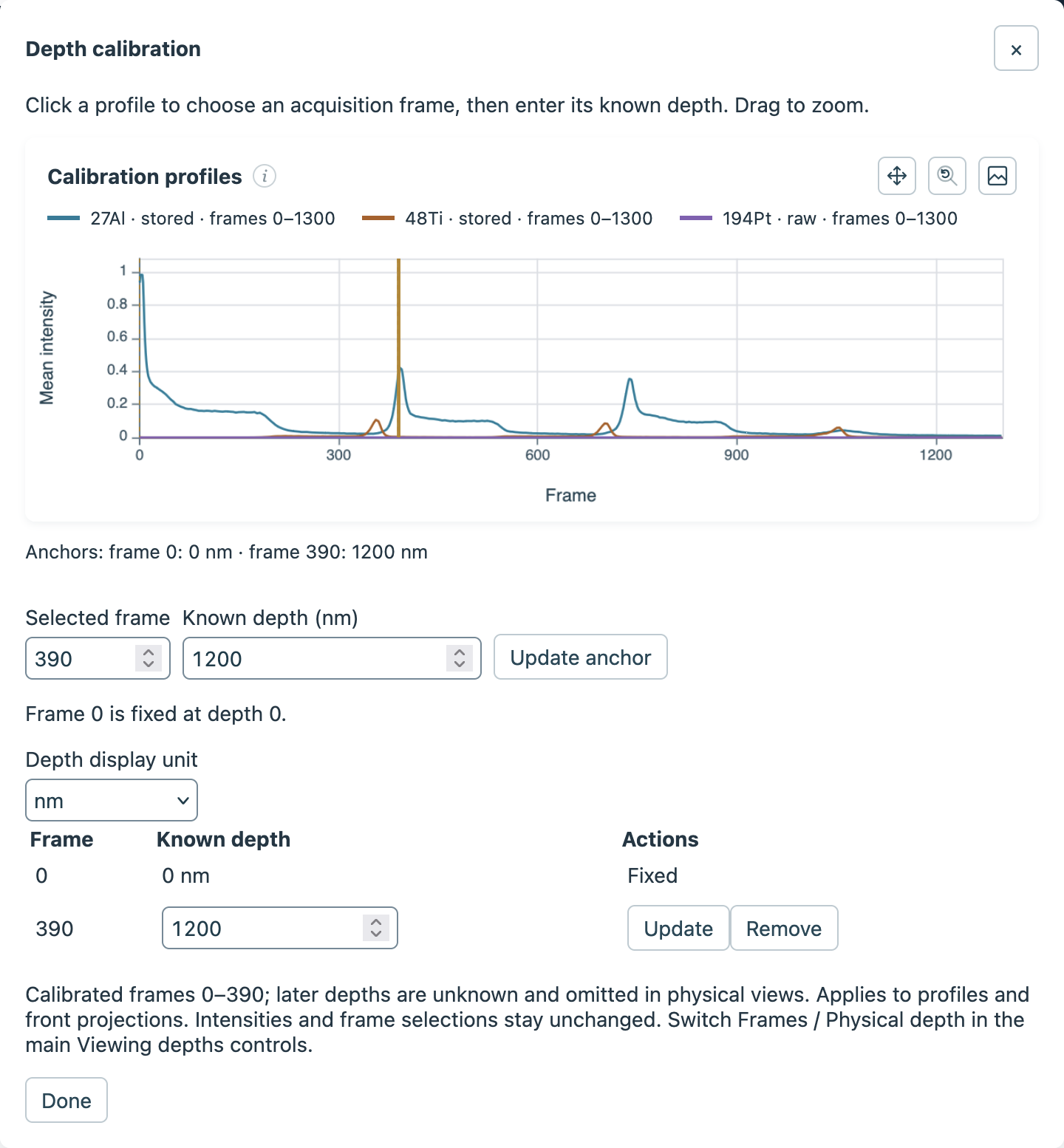
1. Click a position on the editor's [calibration profile](#calibration-profile) to select an acquisition frame, or enter its exact number in [**Selected frame**](#calibration-frame).
2. Enter its [**Known depth**](#calibration-known-depth) in the displayed unit and select [**Add anchor**](#calibration-add-anchor).
3. Repeat for any additional reference points. Select [**Done**](#calibration-done) when finished.
The editor shows an anchor at frame 390 with a known depth of 1200 nm.
Frame 0 is fixed at depth 0. Both frame numbers and depths must increase strictly between anchors. To change or remove an anchor, use the controls in the [anchor table](#calibration-anchor-table); removing all positive anchors restores frame coordinates. When an existing anchor is selected, the editor shows **Update anchor** in place of **Add anchor**, as in the image above.
# Choose how depth is displayed
In the editor, [**Depth display unit**](#calibration-unit) selects nm, µm, or mm. In the main Viewing depths strip, use [**Frames** or **Physical depth**](#calibration-axis-units) to choose the coordinates shown on plots.
Physical profiles and front projections show only frames between the anchors; depths beyond the calibrated range remain unknown. Selection and keyboard navigation continue to use the original acquisition frames. Changing the display units does not resample the intensities.
# Export and interpret calibrated depths
The depth profile's [**CSV**](#calibration-csv) export includes `depth_nm` in nanometres, even when the plots display frames. Depth values are blank where they are unknown.